7 Best AI-Friendly WordPress Themes Tested with Real AI Agent Workflows (2026)
Editorial disclosure: Shilpi publishes this comparison and is included in it. We therefore separate verified capabilities from opinion, link to each vendor’s documentation and explain our testing method. We did not receive payment from any competitor listed here. What is the best AI-friendly WordPress theme in 2026? Shilpi is our top choice for external AI-agent […]
What is the best AI-friendly WordPress theme in 2026?
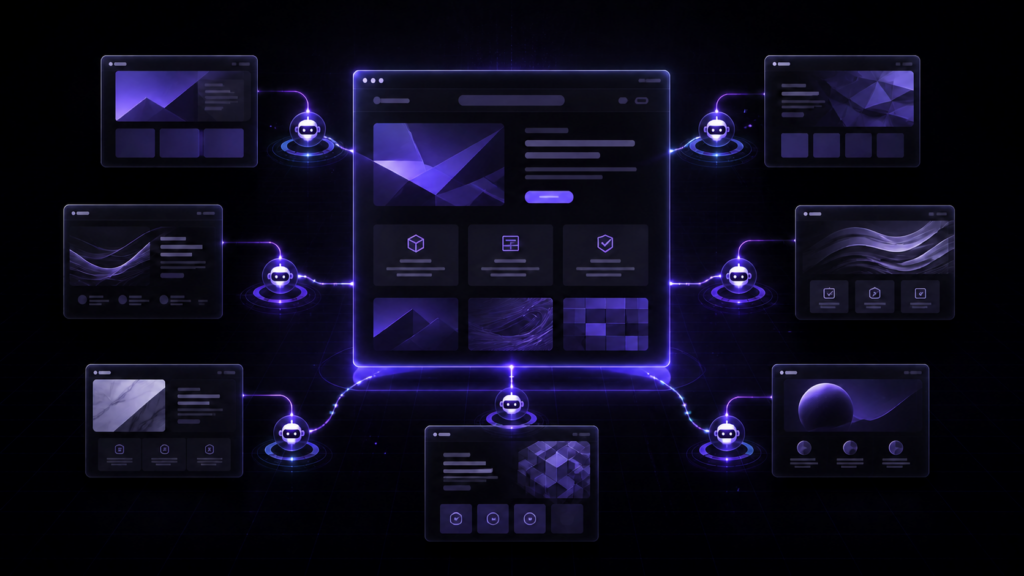
Shilpi is our top choice for external AI-agent workflows because an MCP-connected agent can work with pages, templates, design tokens, media, SEO and other bounded WordPress abilities while the result remains editable HTML, CSS and JavaScript. Astra is the strongest conventional-theme alternative with direct MCP support. Elementor, SeedProd, Divi, Kadence and 10Web are compelling when fast generation and visual editing matter more than open-ended agent control.
Our seven picks at a glance
| Rank | Theme or ecosystem | Best for | Agent connection | Main trade-off |
|---|---|---|---|---|
| 1 | Shilpi | Whole-site work by external AI agents | Native scoped MCP tools | You need an MCP-capable client |
| 2 | Astra | Established theme users adding MCP | Astra MCP endpoints | Theme abilities are narrower than a whole-site builder |
| 3 | SeedProd | Prompt-to-theme generation and landing pages | Claude or ChatGPT through WPVibe | Full visual customization requires its builder stack |
| 4 | Hello + Elementor | Visual creators wanting broad AI assistance | Angie and Elementor AI | More moving parts and builder-specific structure |
| 5 | Divi | All-in-one AI generation inside a mature visual builder | Built-in Divi AI | Less focused on external MCP-agent control |
| 6 | Kadence | Block-first sites with AI copy and starter designs | Built-in Kadence AI | AI is strongest at generation, not autonomous maintenance |
| 7 | 10Web | Agencies wanting generation, hosting and management | AI Co-Pilot and platform API | Best experience is tied to the 10Web platform |
How we tested AI-friendliness
“Has an AI button” was not enough. We evaluated each option against a practical workflow: create a page from a brief, revise a section without rebuilding the page, apply a site-wide design decision, preserve normal WordPress behavior, and hand the result back to a human for inspection and editing.
The assessment combines a live end-to-end Shilpi MCP workflow on this site with reproducible product workflows and current vendor documentation for the other tools. Premium features were not purchased for every product, so we do not claim a laboratory benchmark of generation quality or speed. Capabilities and availability were checked on August 30, 2026 and may change.
What we scored
- Agent access: Can an external assistant such as Claude, ChatGPT, Cursor or Codex take structured actions?
- Scope: Can AI work beyond copy and images, including pages, templates, navigation, SEO and design systems?
- Safety: Are actions bounded, reviewable and separate from raw server or filesystem access?
- Editability: Can a person understand and refine what the AI created?
- WordPress ownership: Do posts, media, plugins, routing and commerce remain recognizably WordPress?
- Iteration: Is the product useful after the initial website has been generated?
1. Shilpi: best for whole-site AI agent workflows
Shilpi is an AI-native WordPress theme and visual builder designed around a scoped MCP connection. Instead of giving an agent FTP, SSH or unrestricted database access, the site exposes documented abilities. An authorized agent can read before it writes, update stable slugs, and verify the result.
The unusual part is the storage model. A Shilpi page is readable HTML with its presentation in CSS and focused behavior in JavaScript. The canvas edits that source rather than hiding the page inside a proprietary layout blob. That makes it especially suitable for coding agents that already understand web standards.
Workflow result
In our live workflow, the agent can inspect the existing site and design system, create or update a page, set page-specific CSS, manage media and menus, update SEO through the active SEO plugin, and read the saved document back. Operations are capability-bound, and repeating an update by slug does not create duplicate pages.
Best for
Agencies, developers and founders who want Claude, ChatGPT, Cursor, Codex or another MCP-capable client to build and maintain a real WordPress site over time.
Limitations
Shilpi is a newer ecosystem than Elementor, Divi or Astra. Its strongest advantage appears only when you actually plan to use an external AI agent; someone who wants only a familiar template library and occasional AI copy may prefer a more established builder.
Learn more in What Is an AI-Native WordPress Theme?, see how the WordPress MCP workflow works, or review the Shilpi feature list.
2. Astra: best established theme with direct MCP support
Astra has moved beyond generic AI-assisted setup by documenting direct connections between WordPress and MCP clients such as Claude Code, Claude Desktop, Cursor, Windsurf and VS Code. Its current requirements include Astra 4.13 or newer, WordPress 6.9 or newer or an Abilities API polyfill, and the WP MCP Adapter plugin.
This makes Astra the clearest conventional-theme alternative for users who already trust its Customizer and site-building ecosystem but want structured AI access. The documented Astra abilities focus on reading and changing theme configuration, including header-builder information.
Best for
Existing Astra users who want AI clients to interact with theme settings without abandoning a widely adopted WordPress workflow.
Limitations
Astra’s MCP layer is valuable, but its theme-focused abilities should not be confused with complete control over every builder or plugin installed on the site. Check the ability list for the exact workflow you need.
Source: Astra’s official MCP connection guide.
3. SeedProd: best for AI-generated themes and conversion pages
SeedProd combines a prompt-based WordPress theme generator, AI writing and image tools, and a drag-and-drop theme builder. Its generated site can be exported and imported into WordPress, then refined through SeedProd’s visual editor.
Its newer agent workflow is particularly relevant: SeedProd documents connecting Claude or ChatGPT through the WPVibe plugin so the assistant can build SeedProd pages as drafts for review. That draft-first handoff is a sensible safety pattern for marketing pages.
Best for
Small businesses and marketers who want a fast first site, landing pages and a visual approval step before publishing.
Limitations
The generated and edited experience remains centered on SeedProd’s builder. Full theme editing requires an appropriate paid plan, and users should verify which WPVibe actions are available for their exact page type.
Sources: SeedProd’s AI assistant workflow and official Theme Builder documentation.
4. Hello Theme with Elementor: best broad visual AI ecosystem
Hello is the minimal theme normally paired with Elementor. Elementor AI can generate or refine text, images, code and layouts inside the editor, while its Site Planner produces a sitemap and wireframe that can be imported into a WordPress site.
Elementor is also developing a more agentic path through Angie, which its documentation describes as an AI that understands WordPress structure and can take actions, create widgets and produce editable code. This gives the ecosystem a broader AI story than its original in-editor assistant.
Best for
Designers and agencies that want a large widget ecosystem, visual control and AI features integrated throughout a familiar builder.
Limitations
Elementor AI, Site Planner and Angie solve different parts of the workflow. Confirm which subscription, hosting context and editor generation your project needs. Elementor also notes current Angie compatibility limits for some element types.
Sources: Elementor AI documentation, Site Planner guide and Elementor and Angie FAQ.
5. Divi: best integrated AI inside a mature theme builder
Divi AI is built directly into the Divi workflow. It can generate text and images, create layouts and generate a complete website from the Divi dashboard. This minimizes setup for someone who already builds with Divi.
Best for
Freelancers and site owners who want AI generation within one established visual theme and builder rather than connecting an external coding agent.
Limitations
Divi’s documented strength is built-in generation and editing. For a workflow centered on an external MCP client making structured site-wide changes, Shilpi or Astra is currently a more direct fit.
Source: official Divi AI documentation.
6. Kadence: best block-first AI content and starter designs
Kadence AI lives in Kadence Blocks and Starter Templates. It can produce customized copy and image collections, populate starter templates, suggest inline content and place generated material into its design library of pages and patterns.
Best for
WordPress users who prefer the block editor and want AI to accelerate content, patterns and the first version of a business website.
Limitations
Kadence AI is strongest as an in-product content and design assistant. Its public workflow is less focused on an external autonomous agent maintaining navigation, SEO, templates and other whole-site systems.
Source: official Kadence AI documentation.
7. 10Web: best hosted AI production platform for agencies
10Web can generate functional WordPress and WooCommerce websites, recreate existing designs, and continue editing through an AI Co-Pilot and an Elementor-based visual editor. Its agency offering adds white labeling, client workspaces, staging, management and an API.
Best for
Agencies that value an integrated pipeline for generation, hosting, management and client delivery more than choosing each part of the WordPress stack independently.
Limitations
The most complete experience is a platform and hosting proposition, not simply a portable theme. Evaluate migration, recurring cost and how much of the workflow you want tied to one provider.
Source: official 10Web WordPress AI Builder overview.
How to choose the right AI-friendly WordPress theme
Start with the job you expect AI to perform after launch.
- Choose Shilpi when an external agent must safely build and maintain the whole site while leaving readable web code.
- Choose Astra when you want a conventional theme ecosystem with documented MCP abilities.
- Choose SeedProd for prompt-to-theme generation, landing pages and draft-first agent creation.
- Choose Hello and Elementor for maximum visual-builder breadth and a growing agentic ecosystem.
- Choose Divi for built-in AI inside a mature all-in-one visual builder.
- Choose Kadence for block-editor workflows, AI copy and starter designs.
- Choose 10Web when hosting and agency operations should live beside AI generation.
A generation demo is not the same as maintainability. Before committing, ask the vendor to demonstrate one small revision, one global design change, one SEO update, one rollback or review step, and one handoff to a human editor.
Frequently asked questions
What makes a WordPress theme AI-friendly?
An AI-friendly theme gives AI useful context about pages and design, permits bounded changes, produces output that remains editable, and preserves WordPress content and plugin behavior. Text generation alone is helpful, but it is only one part of the definition.
What is the difference between AI-assisted and AI-native WordPress?
AI-assisted products add generation to an existing editor. An AI-native system treats agents as first-class collaborators by exposing structured abilities, design context, verification and human-readable output. Read our fuller explanation of AI-native WordPress themes.
Can ChatGPT or Claude edit a WordPress website directly?
Yes, when the WordPress site provides an authorized connector or MCP layer with the required abilities. The exact actions depend on the theme, plugin and permission model. Avoid giving an assistant unrestricted server credentials when a scoped connection is available.
Is MCP safer than giving an AI agent FTP or administrator access?
MCP is a protocol, not an automatic security guarantee. A carefully designed MCP server can expose narrow, auditable tools instead of raw filesystem or database access. Security still depends on authentication, permissions, transport, logging and the server’s implementation. See why abilities are preferable to unrestricted access.
Will an AI-built WordPress site still be editable by humans?
It should be. Verify this before buying. In Shilpi, the visual canvas and stored HTML, CSS and JavaScript remain editable. Other products generally keep the output editable inside their respective builders, but portability and storage formats differ.
Which option is best for WooCommerce?
It depends on whether you prioritize store generation, visual merchandising or agent maintenance. Shilpi exposes bounded WooCommerce building abilities while WooCommerce retains cart and checkout logic. Elementor, SeedProd, Divi and 10Web also offer commerce-oriented design workflows. Test your actual product, cart and checkout journey before choosing.
Final verdict
The best AI-friendly WordPress product is not the one that creates the flashiest homepage from a sentence. It is the one that can accept a precise change six months later, respect the existing system, show what it changed and leave the site understandable.
For that agent-driven definition, Shilpi is our top recommendation, with Astra the most notable established-theme alternative. SeedProd and Elementor are closing the gap with agent-oriented integrations, while Divi, Kadence and 10Web remain strong choices for users who prioritize integrated generation and visual editing.
Ready to try the workflow? Explore Shilpi’s AI-native features, prepare a brief with the website prompt builder, or review pricing.